{{deviceBrand}}
{{deviceModel}}

{{submittedDetailsLabel}}
- {{interestedInLabel}}
- {{data.find(item => item.fieldName === 'IM_INTERESTED_IN' ).fieldValue}}
- {{salutationLabel}}
- {{data.find(item => item.fieldName === 'SALUTATION' ).fieldValue}}
- {{fullNameLabel}}
- {{data.find(item => item.fieldName === 'NAME' ).fieldValue}}
- {{idTypeLabel}}
- {{data.find(item => item.fieldName === 'ID_TYPE' ).fieldValue}}
- {{idNumberLabel}}
- {{data.find(item => item.fieldName === 'ID_NO' ).fieldValue}}
- {{mobileNumberLabel}}
- {{data.find(item => item.fieldName === 'PHONE_NO' ).fieldValue}}
- {{emailAddressLabel}}
- {{data.find(item => item.fieldName === 'EMAIL' ).fieldValue}}
- {{adresssLineLabel}}
- {{data.find(item => item.fieldName === 'ADDRESS_LINE' ).fieldValue}}
- {{postcodeLabel}}
- {{data.find(item => item.fieldName === 'POSTCODE' ).fieldValue}}
- {{stateLabel}}
- {{data.find(item => item.fieldName === 'STATE' ).fieldValue}}
- {{cityLabel}}
- {{data.find(item => item.fieldName === 'CITY' ).fieldValue}}
{{yourSelectedPlanLabel}}
- {{broadbandPlanLabel}}
- {{data.find(item => item.fieldName === 'BROADBAND_PLAN' )?.fieldValue}}
- {{selectedPostpaidOptionPlanLabel}}
- {{selectedPostpaidOptionPlan}}
- {{monthlyFeeLabel}}
- {{data.find(item => item.fieldName === 'MONTHLY_FEE' )?.fieldValue}}
{{personalDetailsFormLabel}}
- {{salutationLabel}}
- {{data.find(item => item.fieldName === 'SALUTATION' )?.fieldValue}}
- {{fullNameLabel}}
- {{data.find(item => item.fieldName === 'NAME' )?.fieldValue}}
- {{idTypeLabel}}
- {{data.find(item => item.fieldName === 'ID_TYPE' )?.fieldValue}}
- {{idNumberLabel}}
- {{data.find(item => item.fieldName === 'ID_NO' )?.fieldValue}}
- {{mobileNumberLabel}}
- {{data.find(item => item.fieldName === 'PHONE_NO' )?.fieldValue}}
- {{emailAddressLabel}}
- {{data.find(item => item.fieldName === 'EMAIL' )?.fieldValue}}
{{installationAddressFormLabel}}
- {{installationBuildingNameLabel}}
- {{data.find(item => item.fieldName === 'INSTALLATION_BUILDING_NAME' )?.fieldValue}}
- {{installationUnitBlockLabel}}
- {{data.find(item => item.fieldName === 'INSTALLATION_BLOCK_NUMBER' )?.fieldValue}}
- {{installationUnitNumberLabel}}
- {{data.find(item => item.fieldName === 'INSTALLATION_UNIT_NUMBER' )?.fieldValue}}
- {{installationAddressLineLabel}}
- {{data.find(item => item.fieldName === 'INSTALLATION_ADDRESS_LINE' )?.fieldValue}}
- {{installationPostcodeLabel}}
- {{data.find(item => item.fieldName === 'INSTALLATION_POSTCODE' )?.fieldValue}}
- {{installationStateLabel}}
- {{data.find(item => item.fieldName === 'INSTALLATION_STATE' )?.fieldValue}}
- {{installationCityLabel}}
- {{data.find(item => item.fieldName === 'INSTALLATION_CITY' )?.fieldValue}}
- {{installationServiceProviderLabel}}
- {{data.find(item => item.fieldName === 'SERVICE_PROVIDER' )?.fieldValue}}
{{registrationAddressFormLabel}}
- {{registrationBuildingNameLabel}}
- {{data.find(item => item.fieldName === 'REGISTRATION_BUILDING_NAME' )?.fieldValue}}
- {{registrationUnitBlockLabel}}
- {{data.find(item => item.fieldName === 'REGISTRATION_BLOCK_NUMBER' )?.fieldValue}}
- {{registrationUnitNumberLabel}}
- {{data.find(item => item.fieldName === 'REGISTRATION_UNIT_NUMBER' )?.fieldValue}}
- {{registrationAddressLineLabel}}
- {{data.find(item => item.fieldName === 'REGISTRATION_ADDRESS_LINE' )?.fieldValue}}
- {{registrationPostcodeLabel}}
- {{data.find(item => item.fieldName === 'REGISTRATION_POSTCODE' )?.fieldValue}}
- {{registrationStateLabel}}
- {{data.find(item => item.fieldName === 'REGISTRATION_STATE' )?.fieldValue}}
- {{registrationCityLabel}}
- {{data.find(item => item.fieldName === 'REGISTRATION_CITY' )?.fieldValue}}
- {{registrationServiceProviderLabel}}
- {{data.find(item => item.fieldName === 'SERVICE_PROVIDER' )?.fieldValue}}
What is 5G SA?
5G SA stands for 5G Standalone. It runs on a dedicated 5G core instead of relying on 4G, which helps deliver faster response times and a more stable 5G experience. It also supports VoNR, allowing voice calls to stay on the 5G network for clearer calls and smoother voice and data use at the same time.
How to Get 5G SA on your iPhone

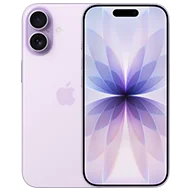
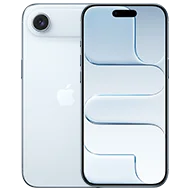
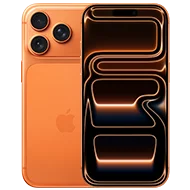
iPhone 15 or newer
running at least iOS 26.4

An eligible
Postpaid Plan

An eSIM or SUCI
(Subscription Concealed Identifier) SIM
Get an eSIM Your Way
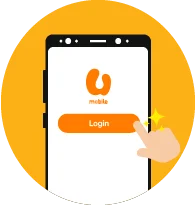
Step 2
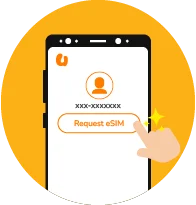
Open the MyUMobile App and sign into your account. Navigate to Settings and tap on the "Request eSIM" option.
Step 3
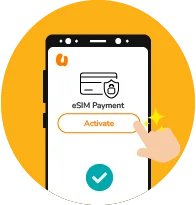
Proceed with the verification process and complete the eSIM activation payment.
Step 4
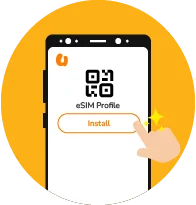
Once payment is confirmed, you may get your eSIM QR code from App Settings or via email to complete activation.
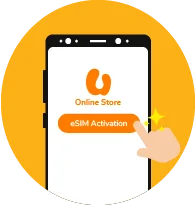
Step 2
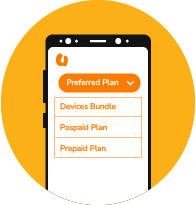
Select your preferred plan (Device Bundle, Plan Purchase or Switch to U) to get your new eSIM.
Step 3
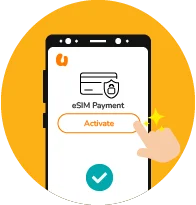
Proceed with the verification process and complete the eSIM activation payment.
Step 4
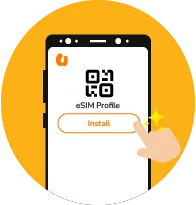
Once the payment is confirmed, you will receive an eSIM QR code via email.
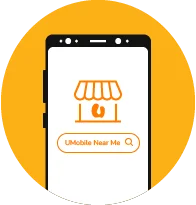
Step 2
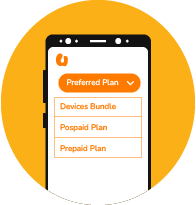
Select your preferred plan option, whether it's a device bundle with a plan, a postpaid plan, or a prepaid plan.
Step 3
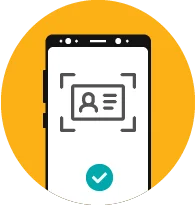
Bring your valid ID and complete the verification and payment process at the counter.
Step 4
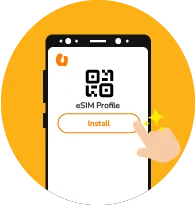
Once your payment is confirmed, you will receive an eSIM QR code via email.
How to Turn On 5G SA on Your iPhone
Step 1 - Update iOS
Go to Settings > General > Software Update.
Step 2 - Enable 5G SA
Go to Settings > Mobile Data/Cellular > Mobile Data Options > Voice & Data.
Step 3 - Select Settings
Choose “5G ON” and ensure both the “5G Standalone” and “Voice over 5G Standalone” toggles are active.
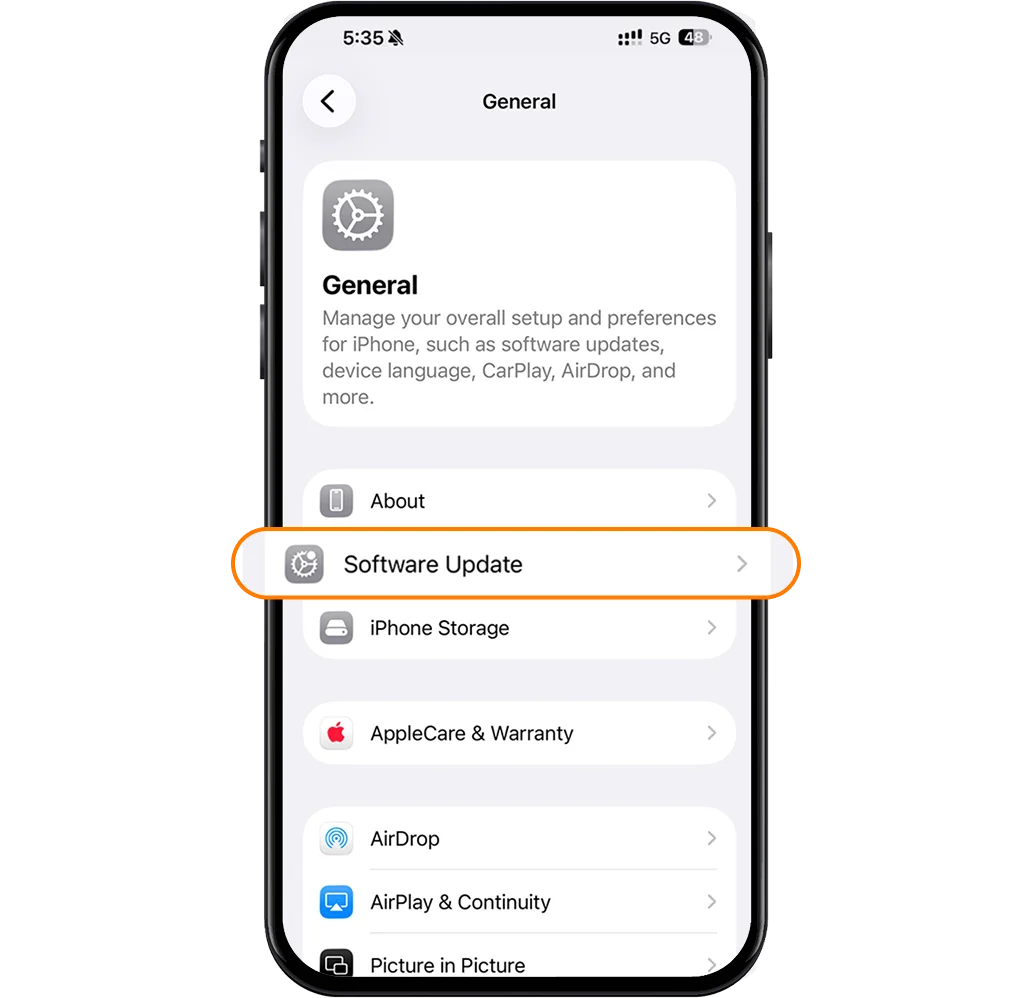
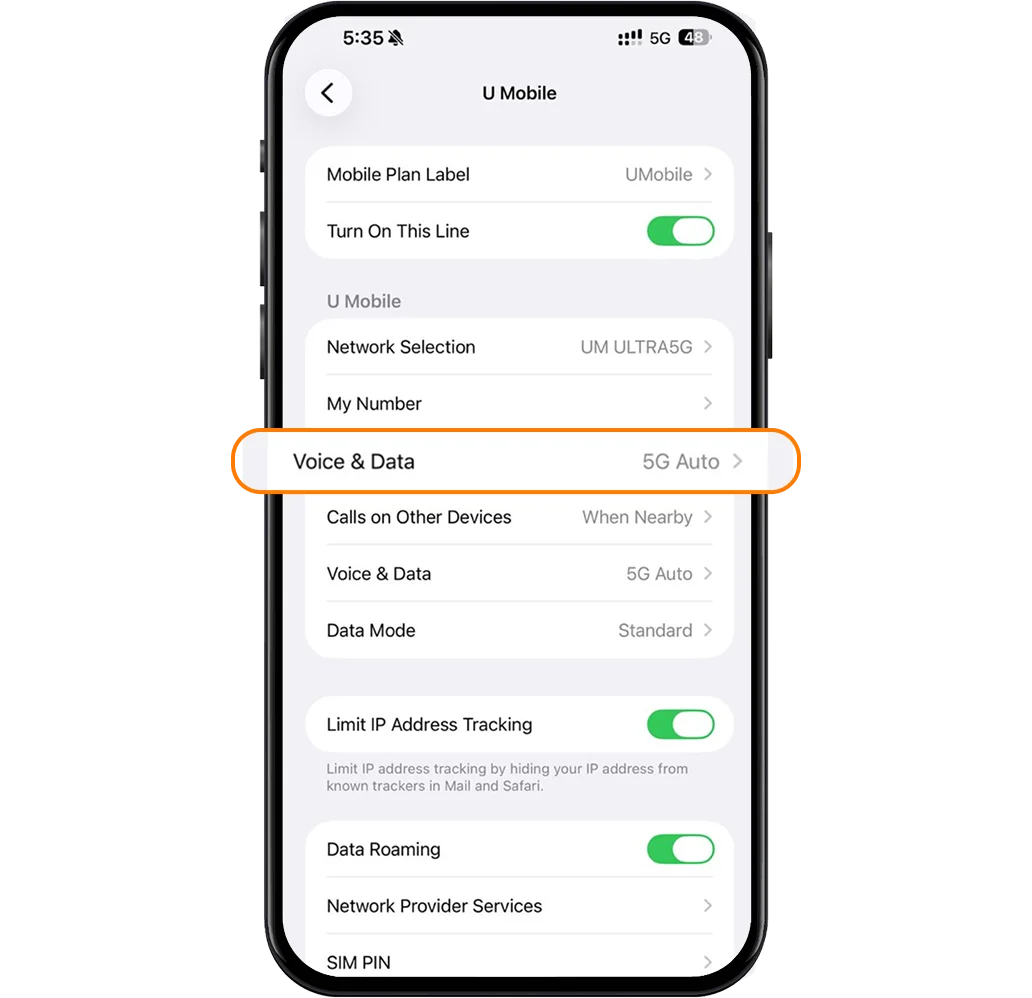
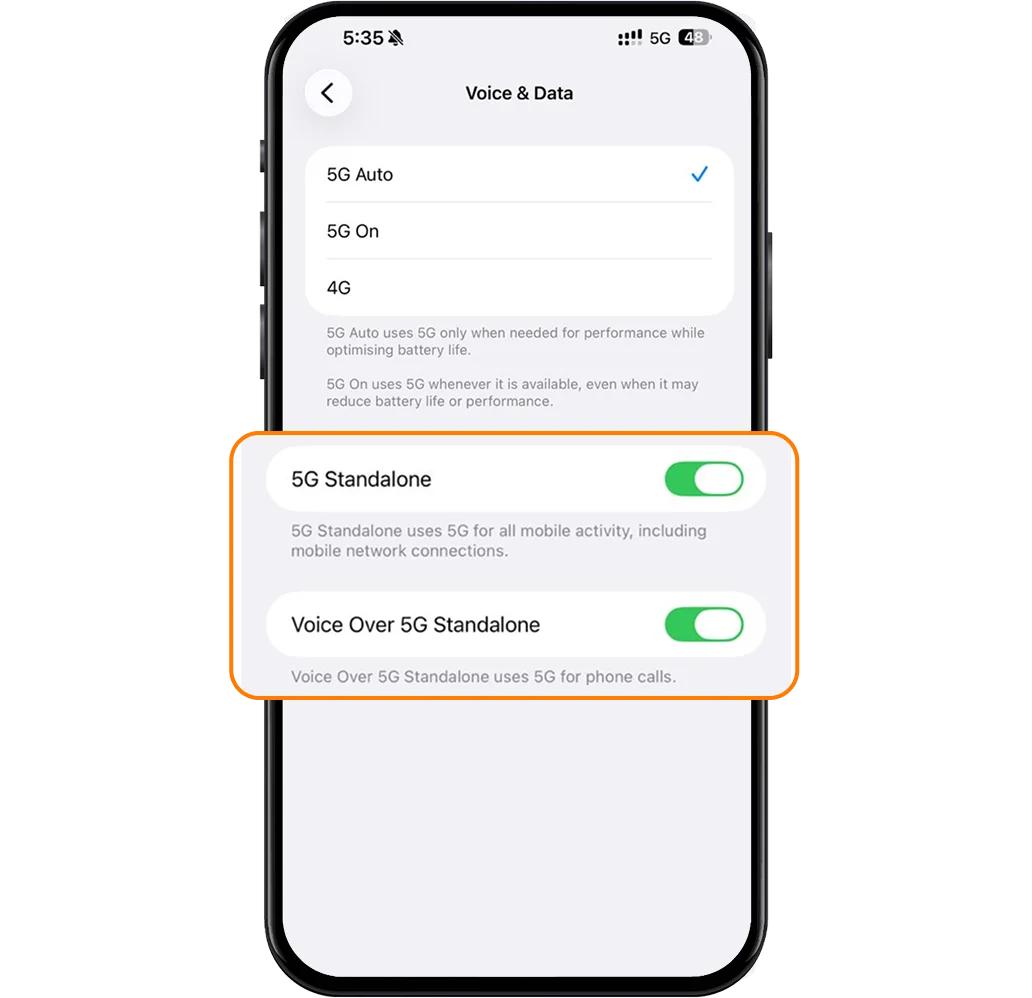
If you do not see the “5G Standalone” toggle, you may need to visit your network provider to replace your physical SIM with a 5G SUCI-compliant card.
Ensure your SIM card is a SUCI SIM
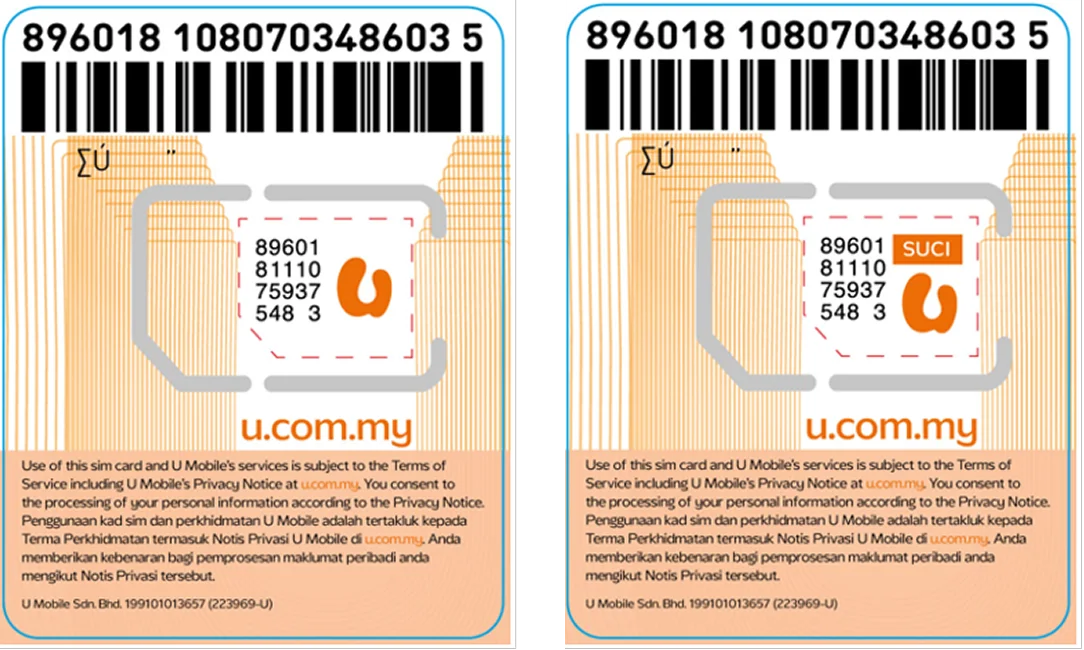
If not, you can visit our U Mobile Stores or our authorised dealers nationwide to request for a new SUCI SIM
How to Turn On 5G SA on Your iPhone
Step 1 - Update iOS
Go to Settings > General > Software Update.
Step 2 - Enable 5G SA
Go to Settings > Mobile Data/Cellular > Mobile Data Options > Voice & Data.
Step 3 - Select Settings
Choose “5G ON” and ensure both the “5G Standalone” and “Voice over 5G Standalone” toggles are active.
If you do not see the “5G Standalone” toggle, your carrier might not have enabled it for your account or you may need to visit your network provider to replace your physical SIM with a 5G SUCI-compliant card.
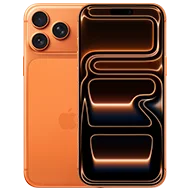
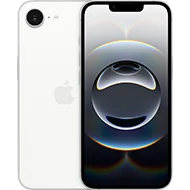
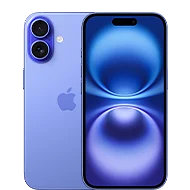
Experience 5G SA with the latest iPhones

More Ways to Reach Out
Whether it’s through the MyUMobile App or social media, getting in touch is quick and easy.
MyUMobile App
Enjoy a better, faster and safer experience today!

Drop us your message on Messenger.

Instagram
Have questions? Feel free to DM us!
Frequently Asked Questions
5G SA refers to the 5G Standalone (SA) technology, which runs fully on 5G technology without relying on 4G systems. This allows for faster speeds, quicker response times and a more stable connection.
iPhone users
You must have the following:
a. An eligible rate plan
b. iPhone 15 models or newer and software updated to iOS26.4 or later
c. An eSIM activated after March 2025 or a physical 5G SUCI SIM
Android users
You must have the following:
a. An eligible rate plan
b. A compatible device updated with the latest software
Once the above conditions are met, you do not need to configure anything and can start enjoying 5G SA.
Effective 13 March 2026, all new sign-ups on the U Postpaid plans will be automatically provisioned with 5G SA.
5G SA is currently available for customers on the following postpaid plans:
ULTRA Family 128
ULTRA Family Share
ULTRA Global 98
ULTRA Postpaid 68
ULTRA Postpaid 45
ULTRA Postpaid Borneo 68
ULTRA Postpaid Borneo 38
U Postpaid 98
U Postpaid 68
U Postpaid 38
U Postpaid Borneo 68
Postpaid GX55
U Biz 98
U Premium
U Platinum
U Mobile is currently rolling out 5G SA to more postpaid plans. Existing customers on the above plans will receive 5G SA in phases.
The list of postpaid plans that will be provisioned with 5G SA will be updated from time-to-time. Please stay tuned for more details.